



If your Audi has original puddle lights but they do not work, the most common reason is that the function is closed in the MMI settings. On many Audi models, especially those after 2015, people can open or close the puddle light function through the MMI infotainment screen without any special equipment.
In this guide, you can learn how to turn on Audi puddle lights on the A3, A4, A5, A6, A7, A8, Q3, Q5, Q7, and Q8. It is suitable for both the older MMI 3G+ system and the newer MIB/MIB2 virtual cockpit infotainment.
How to Turn On Audi Puddle Lights
Step 1 — Check by MMI Settings (2015 Onwards)
On Audi models with MMI 3G+ (2012–2020) and MIB2 (2016–2025), you can start the puddle light function directly in the settings menu.
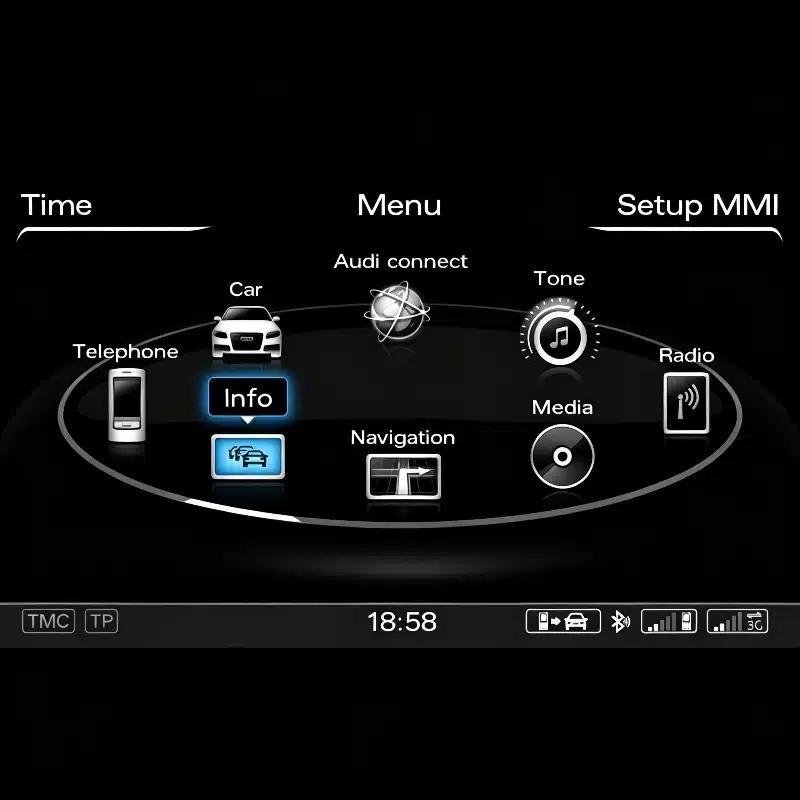
MMI 3G+ (A4 B8, A6 C7, Q5 8R, Q7 4L, A3 8V):
Press the CAR button on the MMI controller → Settings → Lighting → Approach Lighting / Entry Lighting → Toggle to ON
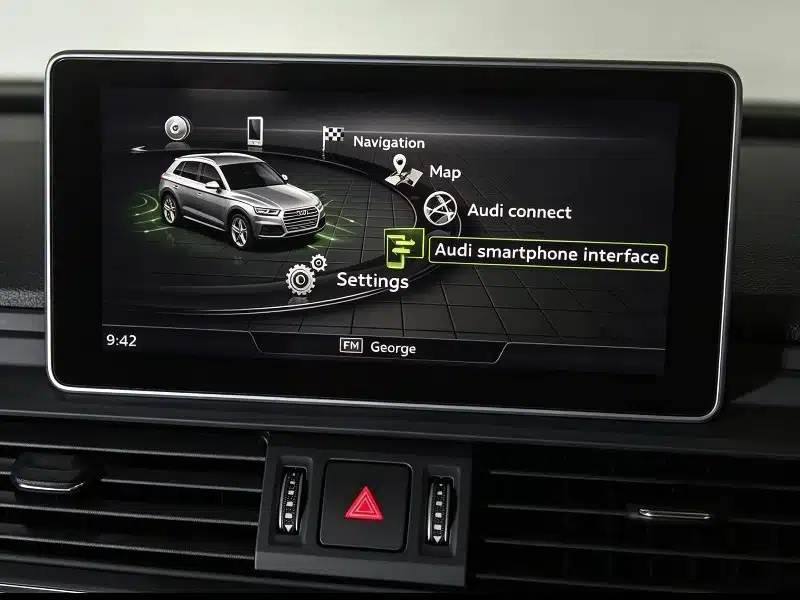
MIB2 Virtual Cockpit (A3 8Y, A4 B9, Q5 FY, Q7 4M, Q8):
Touch the top left menu icon → Vehicle → Lighting → Entry/Exit Lighting → Enable entry lighting → ON
Step 2 — Confirm Puddle Lights Are Physically Fitted
You should make sure there are puddle lights on your Audi before you spend time looking through menus. You need to open the door and check the lower part of the door panel (about 15cm from the bottom). If you can see a small oval or circular light pointing at the ground, there are puddle lights on your car.
Puddle lights were optional parts on most Audi models before 2018. And they became a standard function since 2019 on S-Line and above models. If there is a blank oval cover, the car was not equipped with the puddle lights. You can quit at this time because MMI adjustment will not activate them.
Step 3 — VCDS Coding (Older Models Without MMI Option)
In fact, on older Audi models like A4 B7, A6 C6, Q7 4L, and A3 8P, the puddle light activation is controlled at the Central Body Controller (J393) level. So you cannot change it through the MMI menu. In this condition, you need VCDS (VAG-COM Diagnostic System) or OBD11 to enable the feature.
Typical VCDS activation path:
Control Module 09 (Central Electronics) → Long Coding Helper → Byte 0 → Bit 3 (Door dimming lights) → Enable
You can set the coding with an OBD11 app (about £50) on most Audi platforms from a smartphone. Moreover, a VAG specialist can also do this in a standard diagnostic process.
Step 4 — Check for Failed Units
If you have finished the setting, but one or both puddle lights are still not working, the light itself may be damaged, or the connector may be loose. You can take out the non-working light with a plastic trim tool and check the wiring connector.
The Audi puddle lights are a fully plug-and-play design. You can choose logos like Audi Rings, S-Line, Gecko, and Sport badge. There are anti-CAN bus error chips inside the lights. They can avoid any warnings on the dashboard.
Model Notes
- A3 8V (2012–2020): MMI 3G+ path; CAR button > Settings > Lighting > Entry Lighting
- A3 8Y (2020–2025): MIB2 path; Vehicle menu > Lighting > Entry/Exit Lighting
- A4 B8 (2008–2016): requires VCDS for activation on most models
- A4 B9 (2015–2023): MIB2 path; activate by menu directly
- Q5 FY (2017–2025): MIB2 or MBUX depending on build date
- Q7 4M (2015–2025): activate by menu on all MIB2 builds
You just need less than a minute to turn on Audi puddle lights by MMI on models after 2015. For older VAG-platform Audi models, a £50 OBD11 tool is a worthwhile investment. You can use it to set codes, check fault codes, or reset service intervals.